Give the Cursor agent an email inbox with MCP
A five line .cursor/mcp.json gives Cursor's agent inboxes it can create, read, send from and wait on. The key stays in an environment variable, not in the repository.
{
  "mcpServers": {
    "mailbay": {
      "url": "https://mcp.mailbay.dev/mcp",
      "headers": {
        "Authorization": "Bearer ${env:MAILBAY_API_KEY}"
      }
    }
  }
}
Set up in one paste
- 1
Add the config
Put the file in.cursor/mcp.jsonat the root of the project. It points Cursor at Mailbay's remote MCP server over HTTP. - 2
Export your key
SetMAILBAY_API_KEYin your shell profile, or start Cursor from a terminal where it is set. - 3
Approve and ask
Approve the server once, then ask the agent for an outcome: an inbox, a code, a reply.
{
  "mcpServers": {
    "mailbay": {
      "url": "https://mcp.mailbay.dev/mcp",
      "headers": {
        "Authorization": "Bearer ${env:MAILBAY_API_KEY}"
      }
    }
  }
}
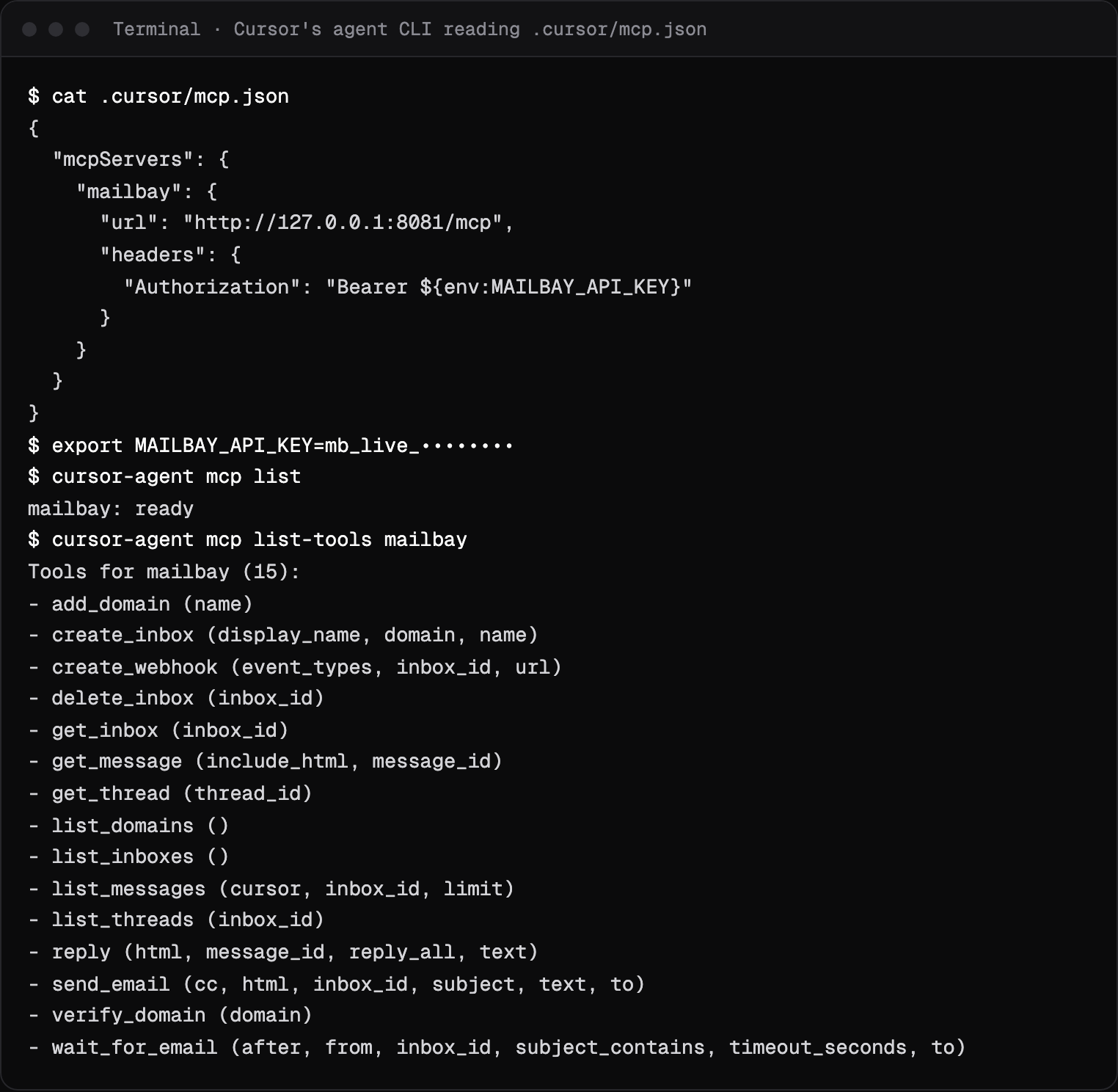
cursor-agent mcp list # mailbay: ready
cursor-agent mcp list-tools mailbay # all 15 tools
cursor-agent mcp enable mailbay # the first time, to approve itThe tools and the local stdio alternative are on the MCP server docs page.
Keep the key out of git
${env:MAILBAY_API_KEY} is replaced with the variable from the environment Cursor runs in, so the file can be committed and every developer uses their own key. Export it in your shell profile, or start Cursor from a terminal where it is set. For an agent that only needs one address, create an inbox key in the dashboard: it can read, wait, reply and send from that inbox and nothing else.
Check that it loads
Cursor's command line agent reads the same file, which makes it a quick check outside the editor. We ran it against a local Mailbay stack on October 14, 2026 (the URL in that run is the local server): cursor-agent mcp list reported the server ready, and cursor-agent mcp list-tools mailbay printed all 15 tools. The first time, approve the server with cursor-agent mcp enable mailbay or in Cursor's settings. The capture is at the top of this page.
Use it from the agent
create_inbox + wait_for_emailAsk for the outcome
“Create a Mailbay inbox called signup-test, then wait for an email to it whose subject contains code, and tell me the code.” The second tool blocks until a matching message arrives (60 seconds by default, 120 at most) and returns the codes and links already pulled out.What we verified
The server and its tools throughcursor-agent, as above. We did not record a chat session in the editor; the end to end agent run is on the Claude Code page.
The same tools work in Claude Code; the Claude Code integration shows a full run with timings. If your tests should check email without an agent, the Playwright integration does it in plain test code. Building an app in Cursor? The prompt on Mailbay for vibe coders adds sending to it.
If it does not load
- Not approved
cursor-agent mcp listsays the server needs approval. Enable it there or in Cursor's MCP settings.- 401 or no tools
- Cursor did not get the key. Start Cursor from a shell where
MAILBAY_API_KEYis exported, and check the spelling of${env:MAILBAY_API_KEY}. - Errors from a tool
- Each one has a code and a fix; the list is on the errors page.
Switching an agent from AgentMail? The AgentMail alternative page maps the tool names. Every integration is listed on the integrations page.
Questions
Should the config go in .cursor/mcp.json or ~/.cursor/mcp.json?
Use the project file when the agent needs email for this codebase, such as testing a sign up flow, and the global file when you want the tools in every project. Both take the same format.
Is it safe to commit .cursor/mcp.json?
Yes, when the key is written as ${env:MAILBAY_API_KEY}. The file then holds the variable name, and each person's own key comes from their environment.
Can the Cursor agent read my own email?
No. Mailbay's MCP server works with Mailbay inboxes only: inboxes the agent creates, your support inboxes in Mailbay, and the Catch-all. It never connects to a personal mailbox.
Related integrations


Read next
Join the beta
Mailbay is in private beta and free while the beta runs: inboxes, sending, your own domains and MCP. We invite people in small batches and read every note on the form.