451 4.7.1: try again later
The receiving server is asking your server to come back later. Rate limits and greylisting are the usual reasons, and a normal mail server handles it without you.
Updated 2 min read
On this page (7)
451 4.7.1 is a temporary SMTP reply: deferred: rate limit or policy. This page is part of our SMTP error code reference, where every code links to the RFC and to what Gmail, Outlook and Yahoo publish about it.
- Kind
- Temporary: the sending server keeps the message and retries
- Retry by hand
- No, retries are automatic
- In Mailbay
deferred, thenfailedif retries run out
What 451 4.7.1 means
451 is "Requested action aborted: local error in processing" [1]. X.7.1 is "Delivery not authorized, message refused" [2], and the 4 makes it temporary: not now, maybe later. The IANA registry lists 451 among the basic codes used with X.7.1 [3].
What Gmail, Outlook and Yahoo say
- Yahoo
- "A 421 or 451 SMTP error indicates a temporary problem blocking the delivery of your message"; "you may retry sending at a later time" [4].
Gmail and Outlook and Microsoft 365 do not list 451 4.7.1 on the error pages we read, so we do not guess what they mean by it.
Sources, read on October 14, 2026
- [1]RFC 5321, Simple Mail Transfer Protocol, section 4.2: www.rfc-editor.org/rfc/rfc5321#section-4.2
- [2]RFC 3463, Enhanced Mail System Status Codes: www.rfc-editor.org/rfc/rfc3463
- [3]IANA, SMTP Enhanced Status Codes registry: www.iana.org/assignments/smtp-enhanced-status-codes/smtp-enhanced-status-codes.xhtml
- [4]Yahoo Sender Hub, SMTP error codes: senders.yahooinc.com/smtp-error-codes/
Prices change. If something here is out of date or wrong, email hello@mailbay.dev and we will fix it.
Common causes
- A rate limit: too many messages or connections from one IP or sender in a short time.
- Greylisting: some servers refuse the first attempt from an unknown sender and accept a retry.
- A new sending IP or domain without reputation yet.
How to fix it
- Let the sending server retry. Do not resend by hand, which only adds to the rate.
- If it lasts for hours, lower your sending rate and check authentication (550 5.7.26).
How Mailbay reports it
When a recipient's server answers 451 4.7.1 to mail you send through Mailbay, our mail server keeps the message and retries on its own. The recipient shows as deferred, and you get a message.deferred event with the server's reply in response. If the retries run out, the message becomes failed with a message.failed event. The message statuses page lists every state.
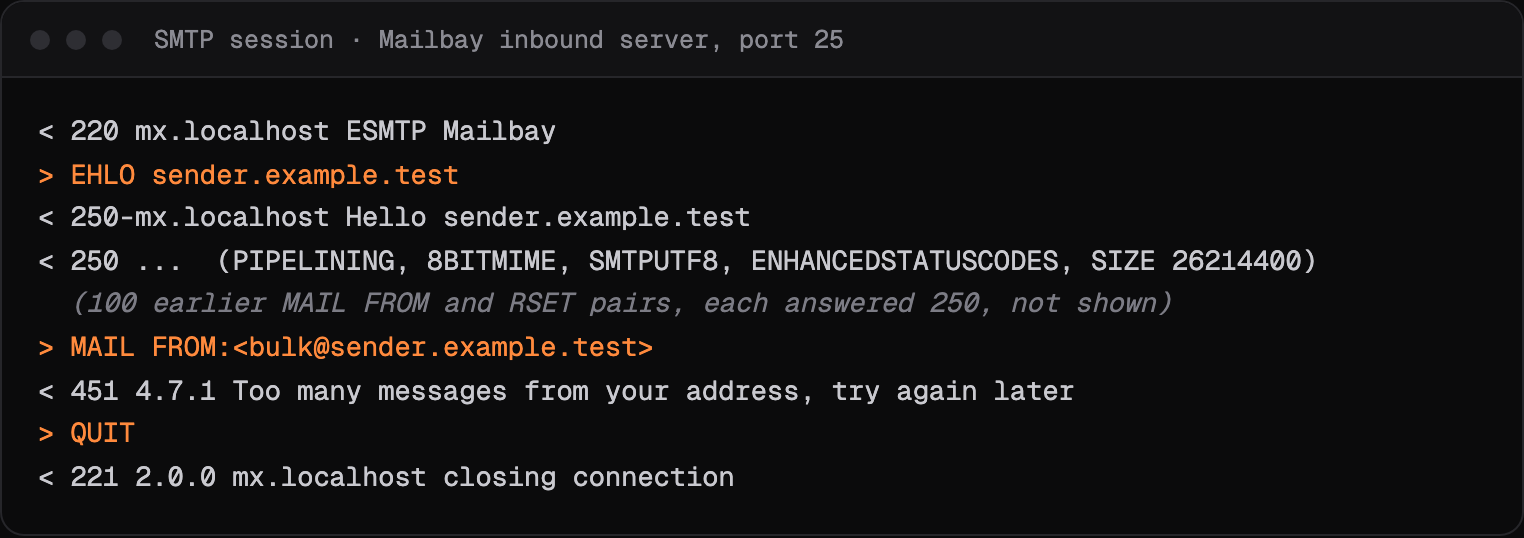
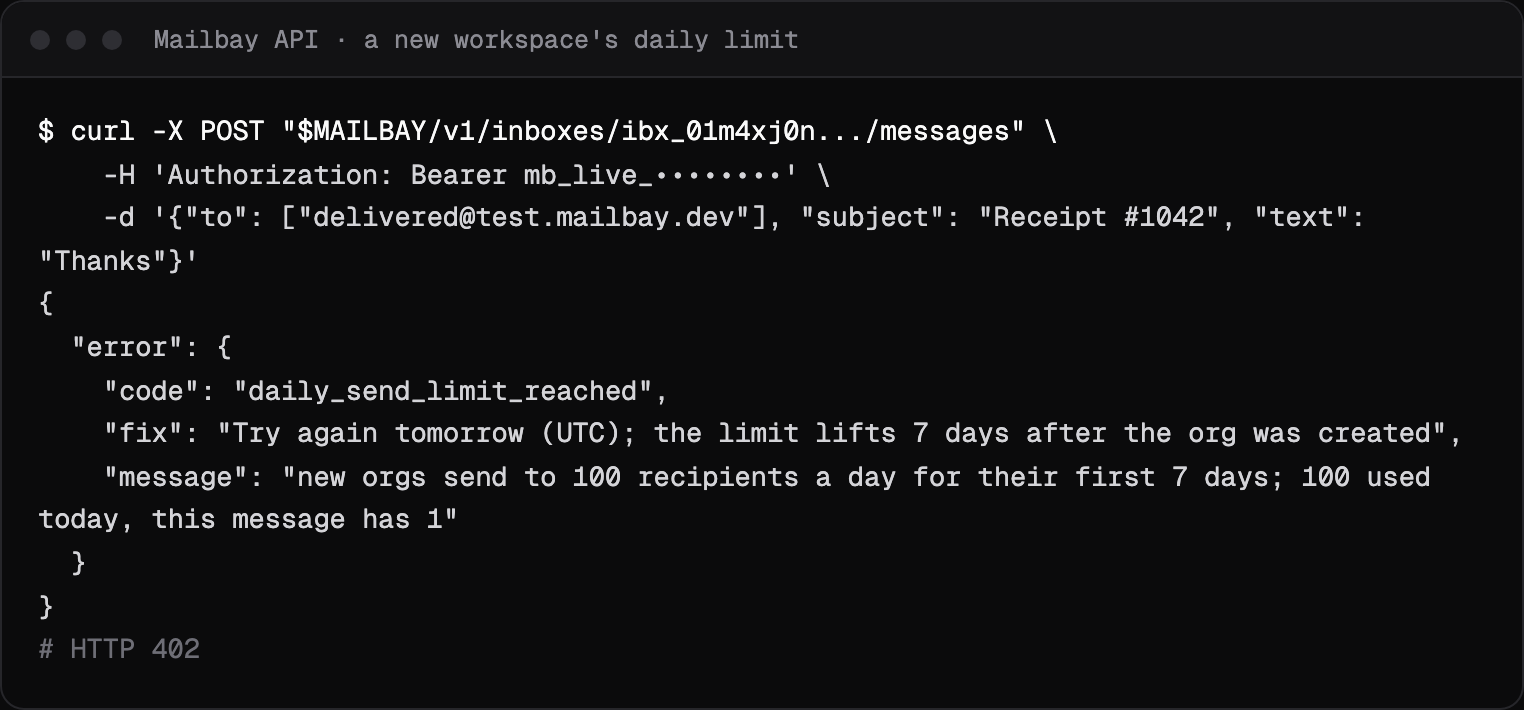
Mailbay's receiving server answers 451 4.7.1 Too many messages from your address, try again later after 100 messages from one IP address in 10 minutes, and Too much mail for this address when one workspace's addresses get more than 300 recipients in 10 minutes. The submission server answers 451 4.7.1 when one client address or one API key sends too fast, and when a workspace in its first 7 days has sent to 100 recipients that day, which the API reports as daily_send_limit_reached (plan limits).
Related codes
- 421 4.7.0: temporary refusal, connection closed, temporary.
- 550 5.7.1: refused for a policy reason, permanent.
- 550 5.7.26: failed SPF, DKIM or DMARC, permanent.
- 535 5.7.8: login rejected, permanent.
- 552 5.3.4: message too big, permanent.
Seeing an API error rather than an SMTP code? Mailbay's own errors, each with a fix, are on the errors page.
Questions
Is 451 4.7.1 a bounce?
No. It is a deferral. The message stays in the sending server's queue and is retried. With Mailbay it shows as deferred, and only becomes failed if the mail server gives up.
How long should I wait after 451 4.7.1?
Let your mail server's retry schedule handle it. If the same receiver keeps answering 451 for hours, slow down and check authentication.
Read next
- 421 4.7.0: try again later, closing connectionThe receiving server is not refusing your mail for good. It closed the connection for a security or reputation reason, and expects your server to try again later.
- 550 5.7.1: message refused, delivery not authorizedThe receiving server understood the message and refused it on purpose. 5.7.1 covers many policies, so the text after the code matters more than the code itself.
- SMTP error codesWhat a bounce or deferral code means, what Gmail, Outlook and Yahoo say about it in their own words, and how to fix it. Each page shows a real SMTP session.
Join the beta
Mailbay is in private beta and free while the beta runs: inboxes, sending, your own domains and MCP. We invite people in small batches and read every note on the form.